
No-code Editing
Click to change the page.
Tell AI what to change, apply suggestions, or insert templates. Three ways to edit pages without writing code.
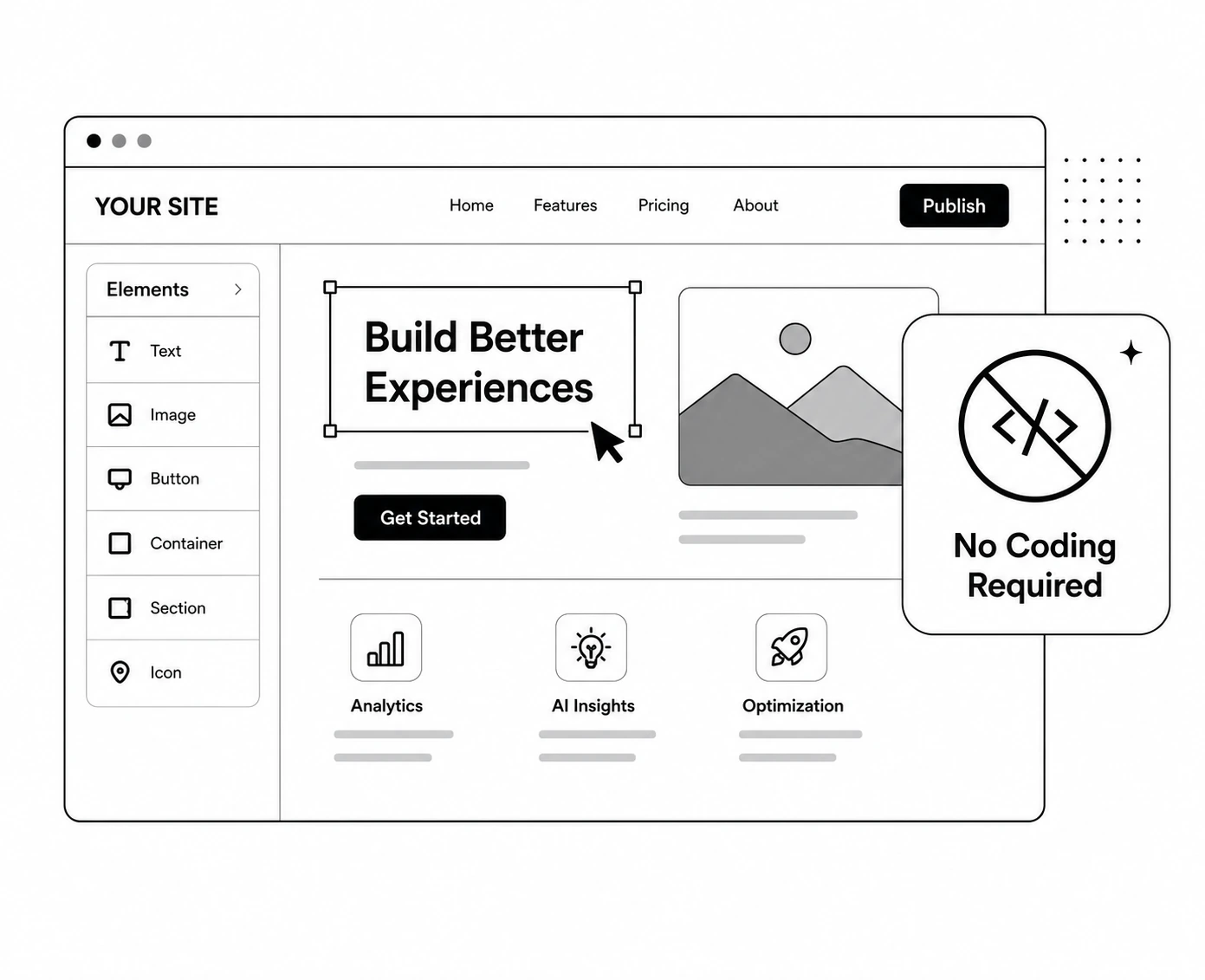
Three ways to edit.
Each applies on the page instantly, without writing code
Tell AI what to change
Say things like "focus more on benefits" in plain language and AI rewrites copy or adjusts styles.
Select and apply suggestions
Check AI editing proposals shown with rationale, then click "Apply to editor."
Insert templates
Pick button, image, or section layouts, add your content, and place them on the page.
Just tell AI what to change.
Give AI instructions in plain language on the element you selected
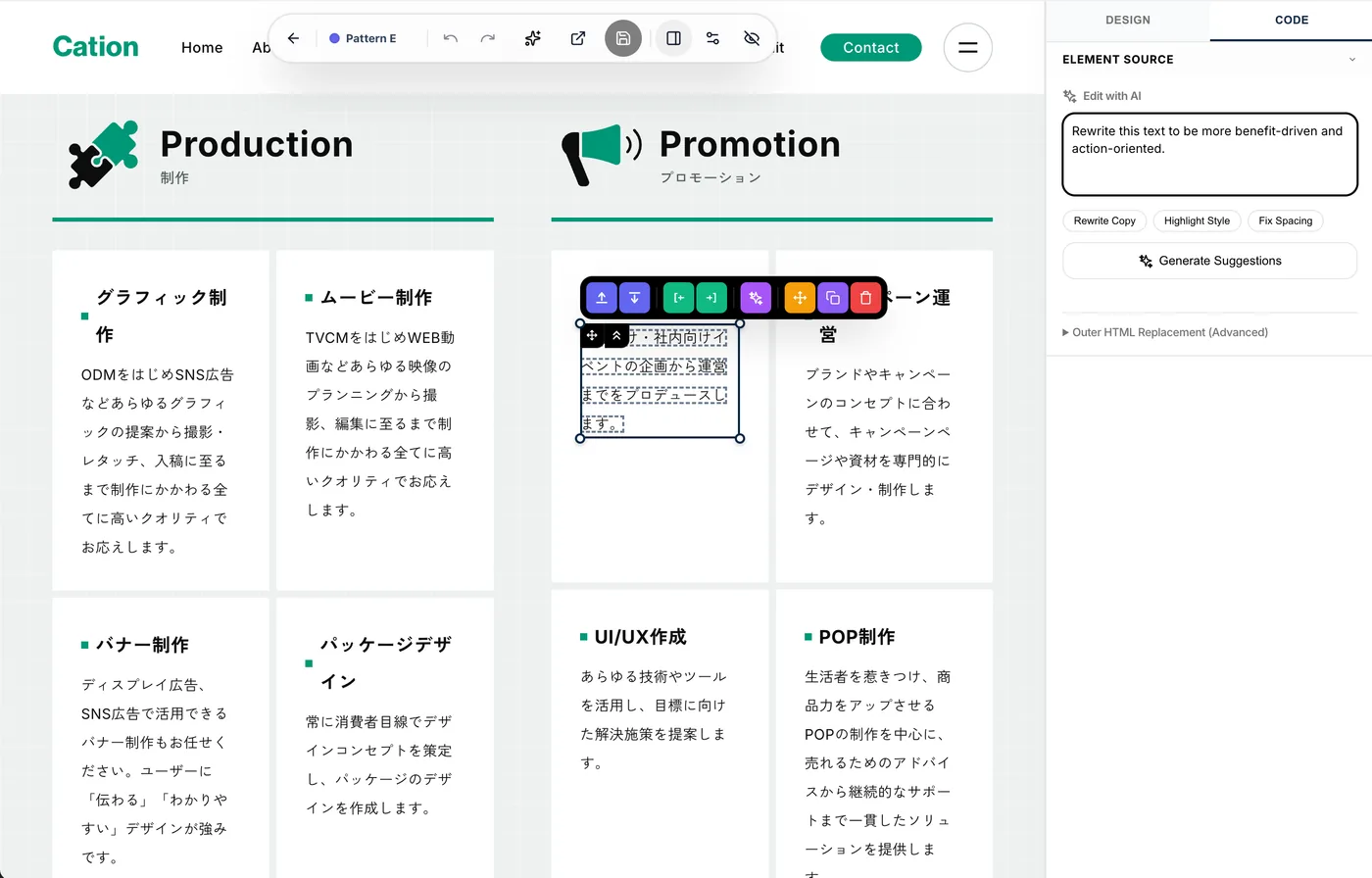
For headings, body copy, buttons, and other selected elements, describe the direction you want. AI generates copy, style, and spacing adjustments.
Check suggestions, then apply.
Review AI rationale and choose which edits to reflect
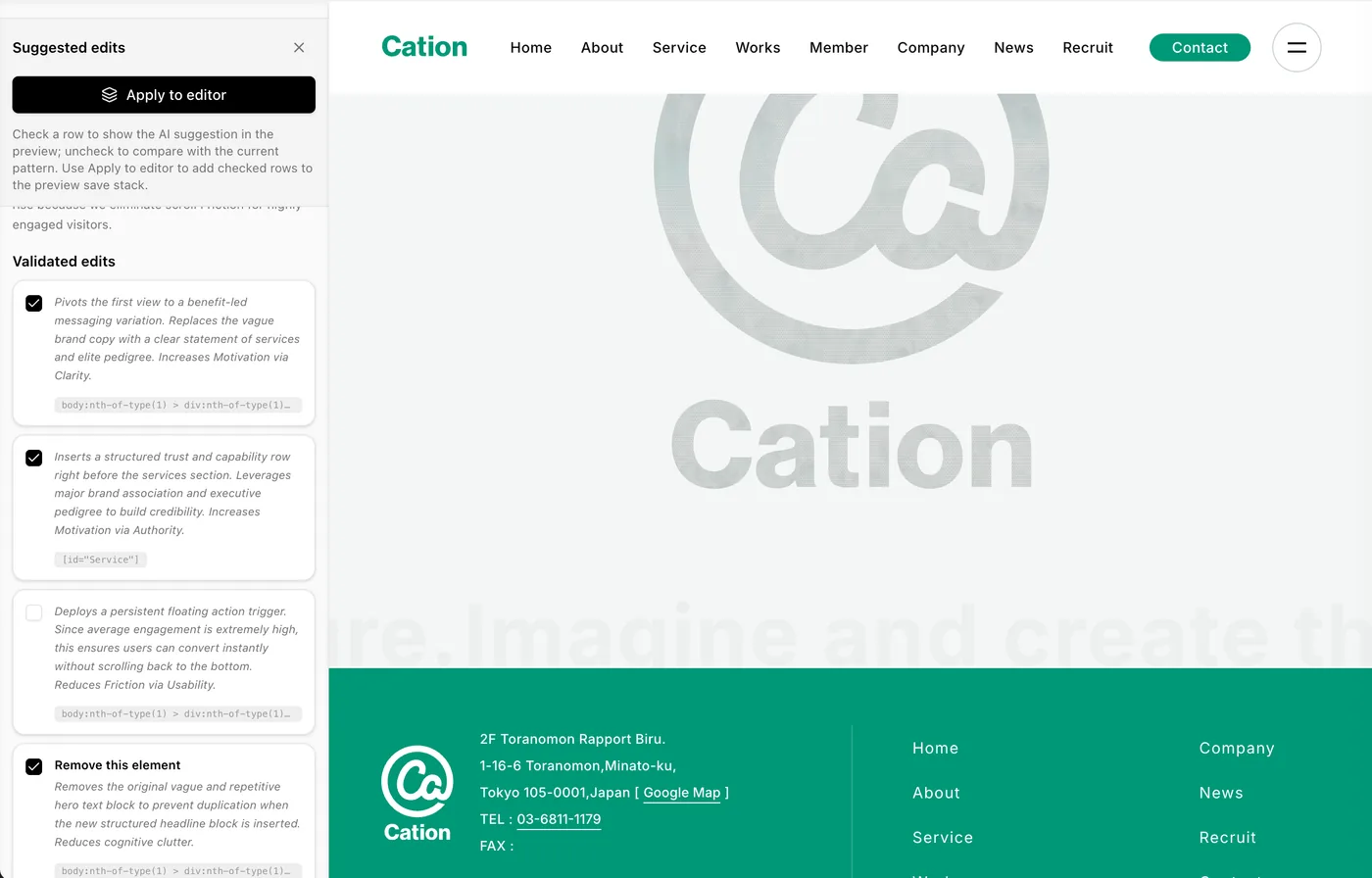
AI shows which elements it looked at and why it suggested each edit. Only checked rows appear in the preview; uncheck them to compare against the original pattern.
Pick a template and insert it.
Choose buttons, images, text blocks, add content, and place them
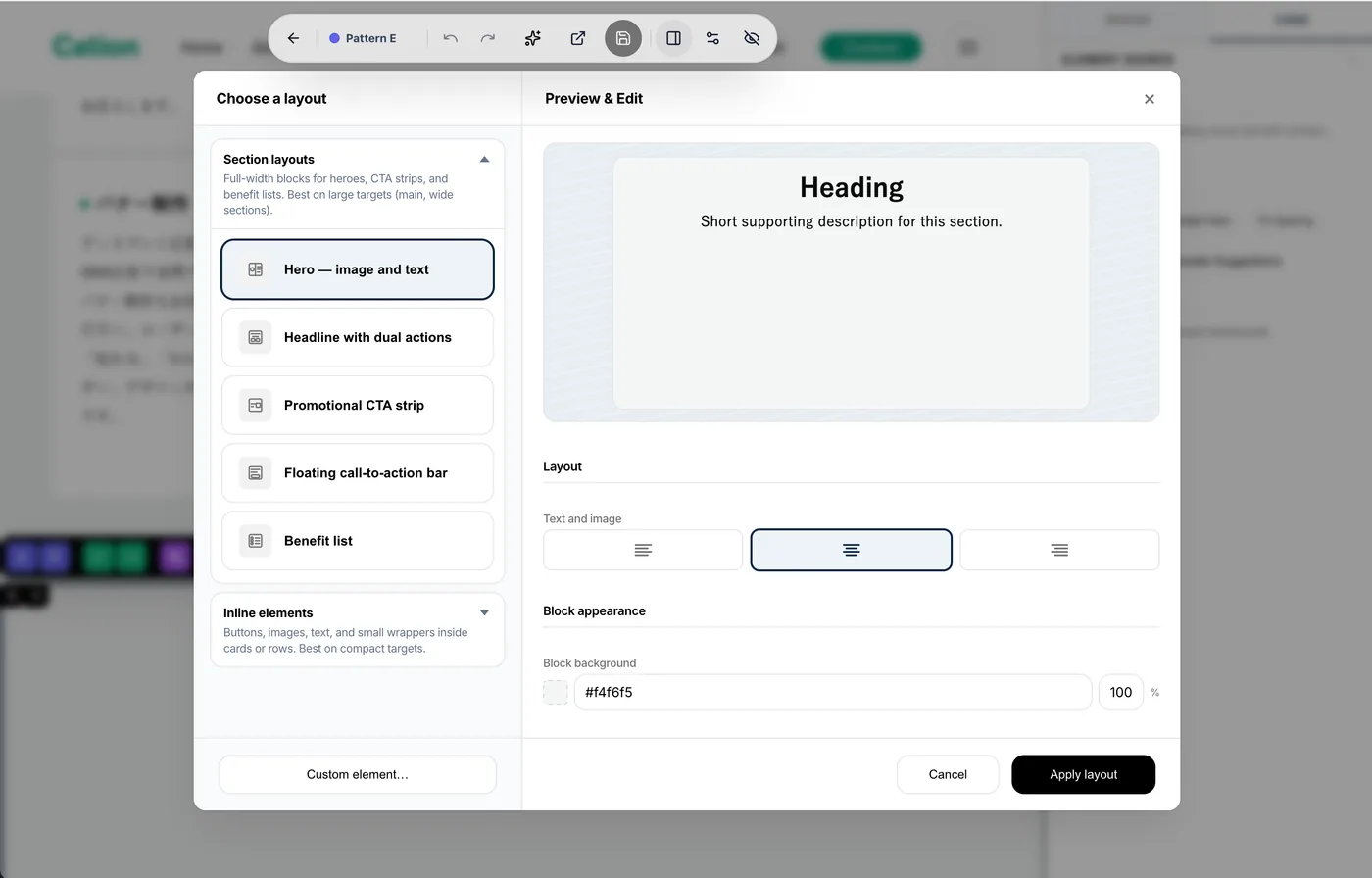
From full-width section layouts to small inline elements like a single button. Pick a template, enter text and links, then apply the layout.
When you need more, there is a code editor too.
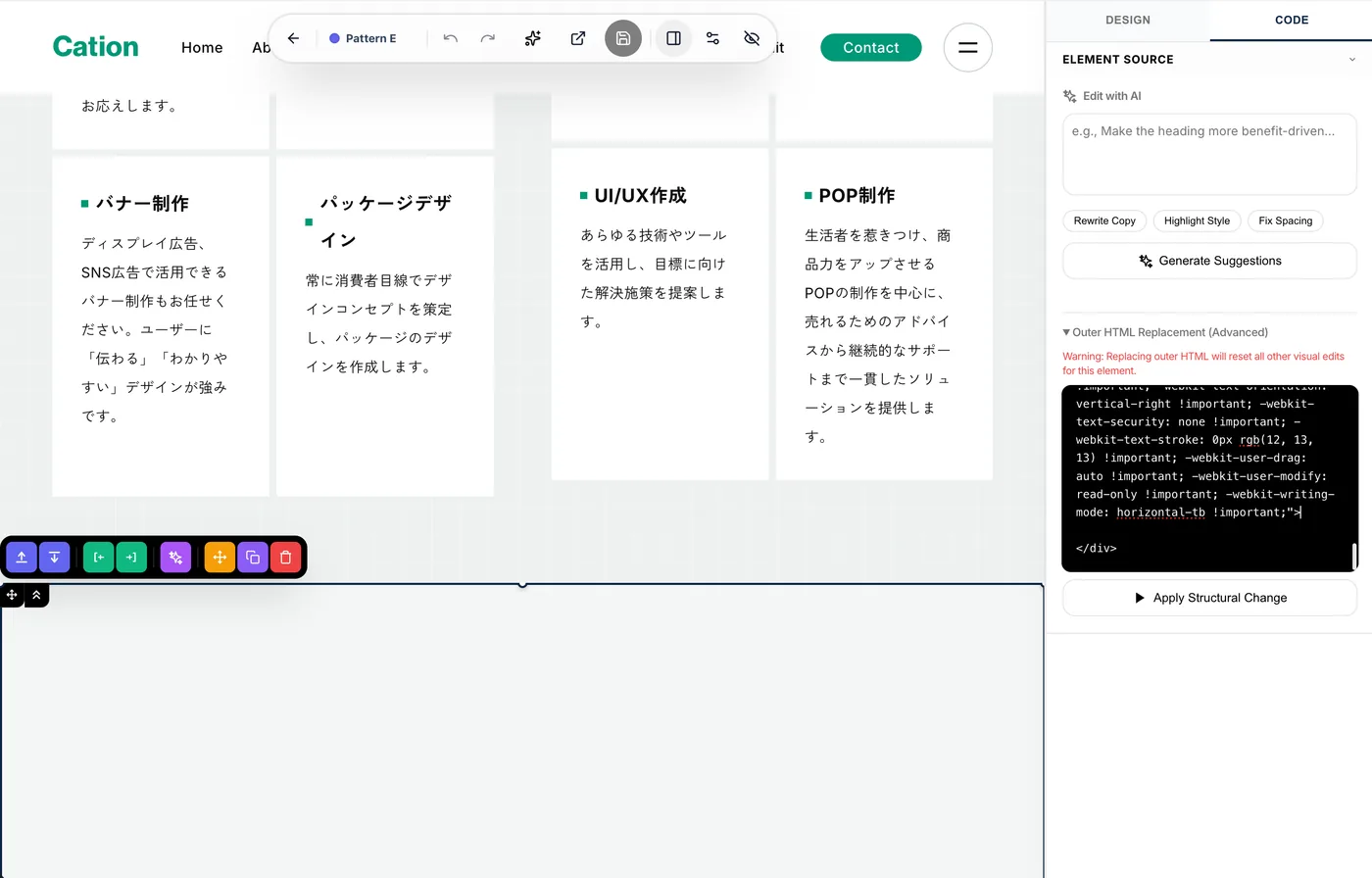
AI instructions, applying suggestions, and templates cover most edits. When you need advanced design or conditional logic, switch to the code editor to edit HTML and JavaScript directly.
Frequently asked questions
Will editing affect the live page?
No. Edits happen on duplicated patterns, so the published original page is not affected.
Do AI suggestions apply to the page automatically?
No. Each suggestion has a checkbox; only checked rows appear in the preview. The pattern does not change until you review and click "Apply to editor."
What elements can I give AI instructions for?
You can instruct AI on selected elements such as headings, body copy, and buttons. You can ask for copy rewrites as well as style and spacing adjustments.
How many templates are available?
Templates range from full-width section layouts like heroes and CTA strips to inline elements such as buttons, images, and text blocks.
What if we need an engineer?
Switch to the code editor to edit HTML and JavaScript directly. You can hand off to engineers from there.
Try ideas the moment they strike.
Book a free demo to see the real editing experience.